How to Program Your Garage Door Remote: A Complete Guide for Lakeville, MA Residents
Programming your garage door remote doesn't have to be a daunting task. This comprehensive guide will walk you through the process step by step, ensuring your garage door operates smoothly and securely.
Introduction
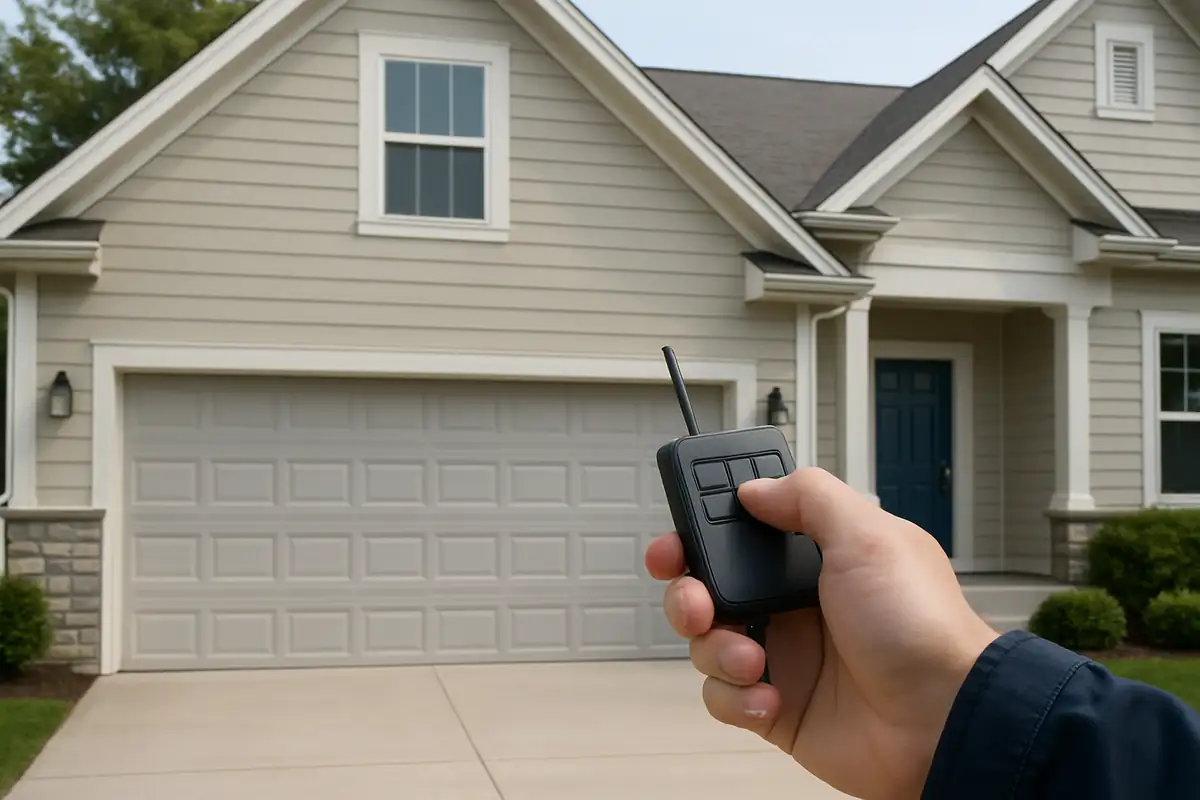
Garage door remotes are a convenient tool that enhances our daily lives, allowing for quick and easy access to our homes. However, programming your garage door remote can sometimes seem overwhelming. If you're a resident of Lakeville, MA, understanding how to program your garage door remote can save you time and frustration. In this comprehensive guide, we’ll break down the programming process into easy steps, while also providing practical tips to keep your garage door functioning seamlessly.
Why Is It Important to Program Your Garage Door Remote?
Programming your garage door remote is essential for a few reasons:
- Security: Properly programmed remotes ensure that only you can access your garage.
- Convenience: A well-functioning remote allows for quick entry and exit, especially during inclement weather.
- Maintenance: Regularly updating the programming can help prevent issues down the line.
In fact, according to the International Door Association, more than 50% of garage door issues stem from remote programming or battery issues. Let's avoid those headaches!
Preparing to Program Your Garage Door Remote
Before diving into the programming process, there are a few preliminary steps you should take to set yourself up for success:
Gather Necessary Tools
Make sure you have everything you need:
- Your garage door remote.
- The owner's manual for your garage door opener.
- Two AAA batteries (if needed, depending on the remote).
Check Compatibility
Ensure that your remote is compatible with your garage door opener. Most remotes come with a compatibility chart in the manual.
Step-by-Step Guide to Programming Your Garage Door Remote
Now that you’re prepared, let’s walk through the programming process step by step:
Step 1: Locate the Learn Button
The learn button is usually found on the back or side of the garage door opener unit. It may be covered or hidden, so refer to your manual if needed. It typically looks like a small, colored button.
Step 2: Clear Previous Programming
If your remote is not working, it might be helpful to clear it first. Press and hold the learn button for about 10 seconds until the indicator light turns off. This will reset the system.
Step 3: Program the Remote
- Press the learn button once. An indicator light will turn on.
- Within 30 seconds, press and hold the button on your remote that you wish to program.
- Release the button when the garage door opener light blinks. This indicates successful programming.
Step 4: Test the Remote
Once you’ve programmed your remote, it’s crucial to test it to ensure everything is functioning correctly. Stand about 10 feet away from the garage door, press the button, and see if the door responds.
Step 5: Change Batteries if Necessary
If your remote still doesn't work, it might be time to change the batteries. Replace them, and re-attempt programming.
Troubleshooting Common Issues
Even when following the steps carefully, you may encounter issues. Here are some common problems and solutions:
Remote Not Working After Programming
Double-check that you:
- Pressed the learn button correctly.
- Used the correct button on the remote.
- Installed fresh batteries properly.
Garage Door Opener Light Doesn’t Blink
If the light doesn’t blink, there might be a compatibility issue or a problem with the opener itself. Consulting the manual or reaching out to a local specialist like Main MA Garage Door Repair in Lakeville, MA, can help.
Additional Tips for Garage Door Maintenance
To ensure your garage door remains in great condition, consider these maintenance tips:
- Regularly check and replace the batteries in your remote.
- Inspect the garage door opener for any signs of wear and tear.
- Clean the tracks and lubricate moving parts every few months.
Conclusion: Keep Your Garage Door Remote in Peak Condition
Programming your garage door remote is a manageable task that can greatly enhance your home’s security and convenience. By following the steps outlined in this guide, you can easily program your remote and avoid unnecessary repair calls. For residents of Lakeville, MA, Main MA Garage Door Repair is here to assist you with all your garage door needs. Don’t hesitate to reach out if you encounter persistent issues or simply want an expert to check your system!
Ready to ensure your garage door functions flawlessly? Contact Main MA Garage Door Repair today for professional assistance!
Explore More Resources
Related Articles
Service Areas
We proudly serve Lakeville, Middleborough, Rock Village, East Taunton, East Freetown and more areas.
Our Services
Professional garage door repair, spring repair, opener installation and more. View all services →
How to Reduce Garage Door Noise: Effective Tips from Main MA Garage Door Repair in Lakeville, MA
Choosing the Right Garage Door for Your Climate in Lakeville, MA