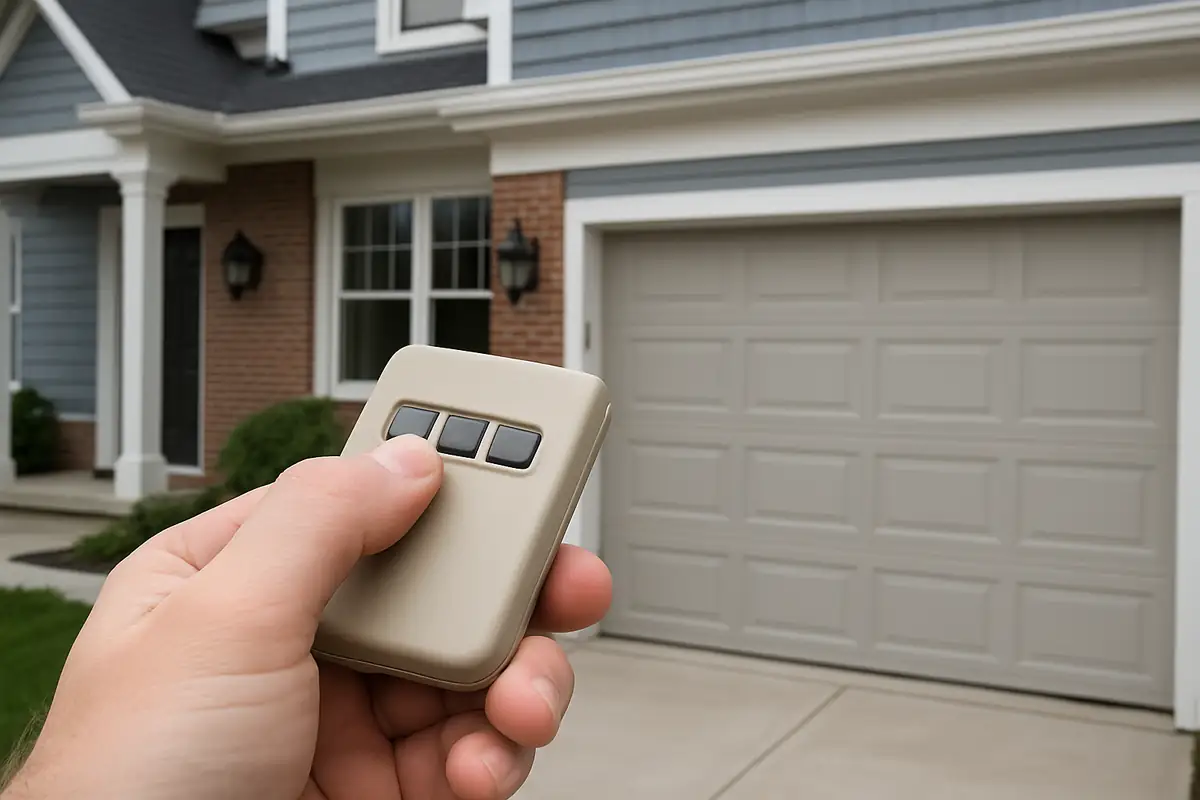
How to Program Your Garage Door Remote: A Complete Guide for Lakeville, MA Residents
Struggling with your garage door remote? Programming it doesn't have to be a daunting task. Follow our comprehensive guide tailored for Lakeville, MA residents and get your garage door working smoothly in no time!
Introduction
Your garage door remote is one of the most convenient tools for homeowners in Lakeville, MA. It offers easy access to your garage, enhancing both security and ease of use. However, programming your garage door remote can sometimes feel overwhelming. Don't worry; this guide will walk you through the process step-by-step, ensuring you can confidently reprogram or sync your remote with your garage door opener.
Understanding Garage Door Openers
Before diving into the programming process, it’s essential to understand the different types of garage door openers available. Knowing your opener type can make programming easier.
Types of Garage Door Openers
- Chain Drive: Uses a metal chain to drive the door, known for durability but may be noisier.
- Belt Drive: Utilizes a rubber belt, providing a quieter operation, ideal for homes with attached garages.
- Screw Drive: Features a steel rod that turns to lift the door; typically faster but might need more maintenance.
- Smart Openers: Connects to your Wi-Fi, allowing for remote access through smartphone apps.
Gathering Necessary Tools
Before you start programming your garage door remote, ensure you have the following tools:
- Your garage door remote
- Your garage door opener manual
- A step stool (if needed)
- Paper and pen (for notes)
Steps to Program Your Garage Door Remote
Here’s a detailed step-by-step guide to help you program your garage door remote:
Step 1: Locate the "Learn" Button
First, you need to find the "Learn" button on your garage door opener. This is usually located on the back or side of the motor unit. It might be labeled as "Learn," "Program," or something similar.
Step 2: Prepare Your Remote
Make sure your garage door remote has a working battery. If unsure, replace the battery before continuing. Open the remote housing if needed to check or replace it.
Step 3: Press the "Learn" Button
Press and release the "Learn" button on your garage door opener. You should see a small LED light that will start blinking after you press it. This indicates that the opener is in programming mode.
Step 4: Program the Remote
Within 30 seconds of pressing the "Learn" button, press and hold the button on your remote that you wish to program. Hold it until the garage door opens or closes, which indicates successful programming. Release the button on the remote.
Step 5: Test the Remote
Step away from the garage door and press the programmed button on your remote. The door should respond immediately. If it doesn’t, repeat Steps 3-5.
Troubleshooting Common Issues
If you encounter problems while programming your garage door remote, consider the following common issues and solutions:
- Remote Not Working: Check the battery; replace if necessary.
- No Response from the Opener: Ensure you pressed the "Learn" button correctly. If the LED doesn’t blink, your opener may need resetting.
- Multiple Remotes: Programming one remote may erase others; check your manual for specific details.
Security Considerations for Garage Door Remotes
While convenience is vital, security should also be a priority. Here are some tips to enhance your garage door security:
- Change the Code: Regularly change the programming code of your garage door opener to prevent unauthorized access.
- Keep Remotes Secure: Ensure your garage door remotes are stored securely within your vehicle to avoid theft.
- Use Smart Technology: Consider upgrading to a smart garage door opener that allows monitoring and control from your smartphone.
Statistics About Garage Door Malfunctions
Did you know that nearly 30% of garage door malfunctions are due to remote issues? Regular maintenance and correct programming can significantly reduce these problems. Keeping your system updated and serviced can enhance its longevity.
Conclusion
Programming your garage door remote doesn’t have to be a difficult process. By following these steps and taking the necessary precautions, you can ensure seamless access to your garage. If you encounter persistent issues or are uncertain about the programming process, don't hesitate to contact Main MA Garage Door Repair. Our team of professionals is here to assist you with any garage door problems, ensuring your home in Lakeville, MA remains secure and functional.
Contact Us Today!
Ready to take control of your garage doors? Reach out to Main MA Garage Door Repair today for expert advice and service. We’re just a call away!
Explore More Resources
Related Articles
Service Areas
We proudly serve Lakeville, Middleborough, Rock Village, East Taunton, East Freetown and more areas.
Our Services
Professional garage door repair, spring repair, opener installation and more. View all services →

Understanding Different Garage Door Materials: A Guide for Lakeville, MA Residents
Common Garage Door Problems and How to Fix Them | Main MA Garage Door Repair